TripTrack
Replaces messy spreadsheets and scattered browser tabs with a single shared workspace for group trip planning, route optimisation, and AI itineraries.
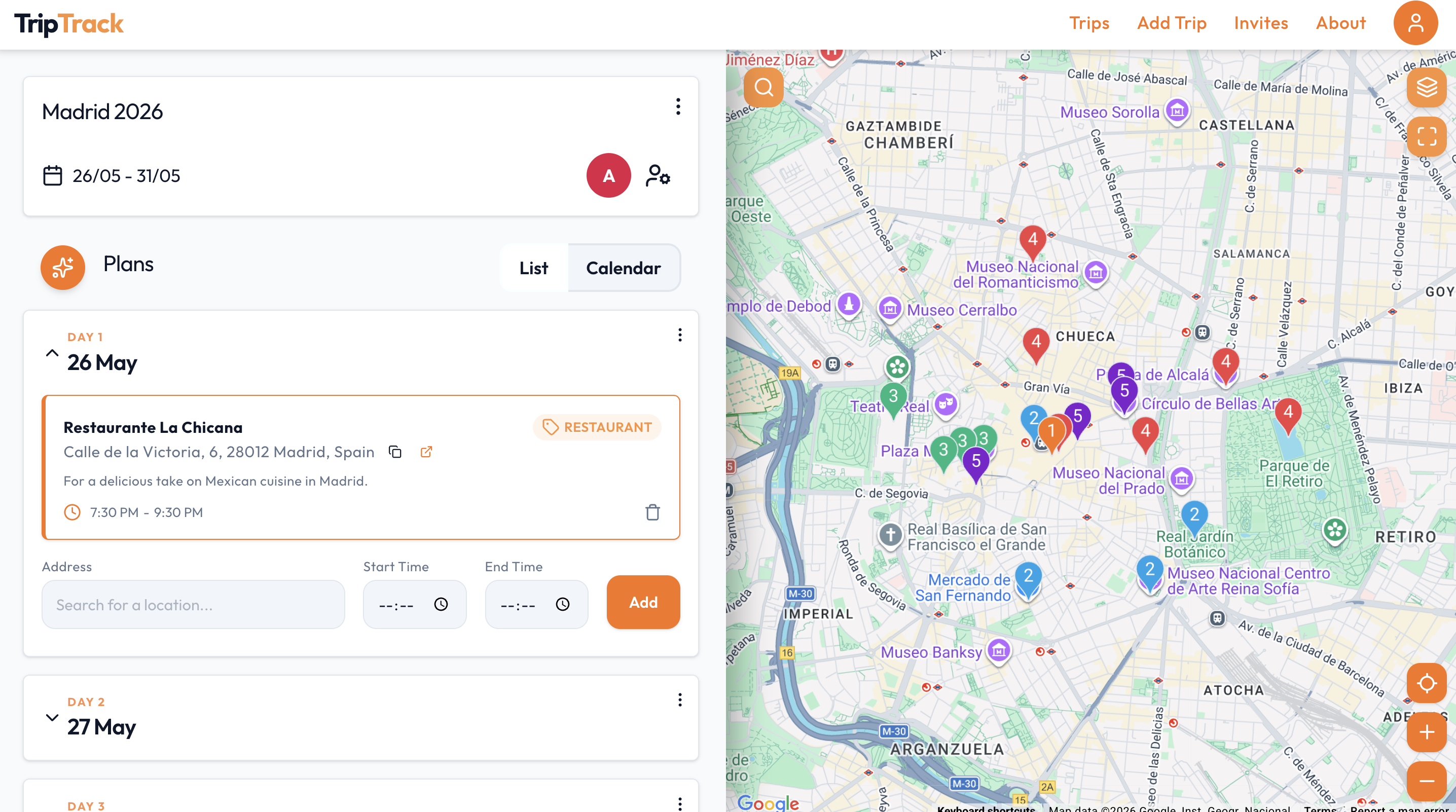
A collaborative holiday and event planning web app that combines interactive maps and daily calendar views with AI itinerary tools. Users can generate daily schedules with AI, optimise routes to cut travel time, and discover local places. Groups can plan together in real time with Admin and Viewer permissions, search venues with Google, and export their plans to their favourite calendar app.
Core Problem Solved
Planning holidays with friends usually means juggling messy spreadsheets, pinned map links, and endless WhatsApp messages. TripTrack brings schedules, maps, and real-time group collaboration into one clear place so everyone stays on the same page.
Why I Built This
Created to solve the real-world frustration of group travel coordination by combining interactive mapping, clean data synchronisation, and helpful AI automation.
Features
- •Map & Calendar View: View your schedule and route side by side so you never have to jump between separate apps.
- •AI Day Planner: Create custom day itineraries in seconds using Gemini AI recommendations.
- •AI Route Optimiser: Automatically reorders stops to cut down travel time and avoid scheduling conflicts.
- •Real-Time Group Planning: Invite friends to plan together with live updates across all devices.
- •Admin & Viewer Roles: Give organisers full editing rights while keeping itineraries read-only for other guests.
- •Google Places Search: Search restaurants, attractions, and landmarks directly and add them to your day in one click.
- •AI Travel Tips: Get helpful local advice tailored to your destination, including the best times to visit and local food recommendations.
- •Calendar Export: Download itineraries directly to your personal calendar (Google, Apple, Outlook) for offline access.
Architecture
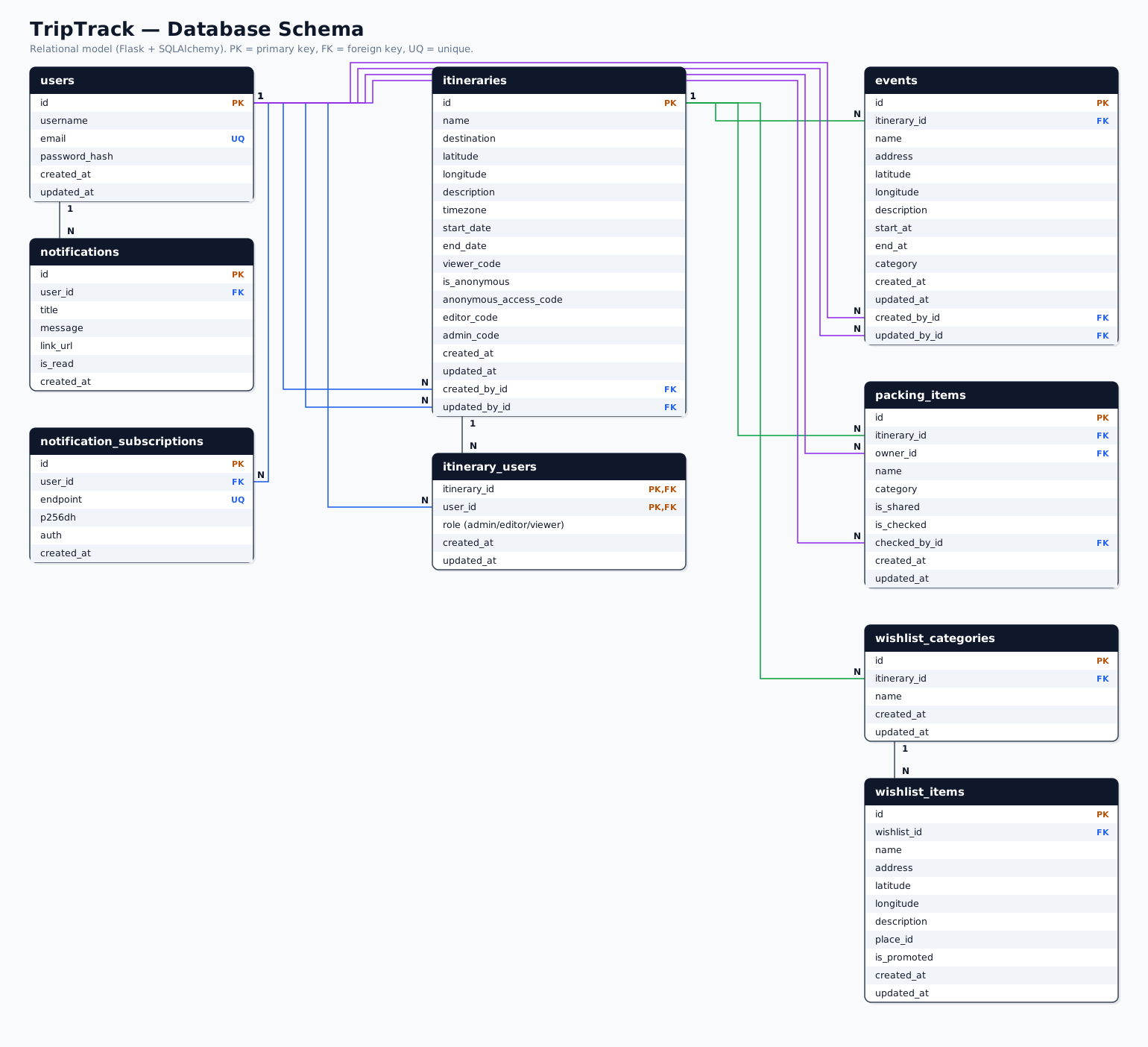
Database Modelling
Challenges
- •Handling Timezones & Zero-Downtime Data Migration: Start and end times were initially saved as timezone-naive dates. When adding reminder notifications, every trip needed a proper timezone derived from its map coordinates. All existing event times had to be converted from local trip time into UTC in the database, and the frontend updated to display them in the holiday's local timezone. To avoid breaking things for active users, this migration was tested on a dedicated branch with custom backfill scripts before deploying seamlessly to production.
- •Synchronising Calendar & Map State: Keeping a live map view, an event schedule, and a list of locations completely in sync required careful state design so adding, moving, or deleting an activity updated both views instantly without unnecessary re-renders.
Tradeoffs and Decisions
Impact
Helped friends and early users plan several real-world holidays with zero spreadsheet headaches. It also deepened practical experience with the Google Maps suite (Places, Directions, Geocoding, and Timezone APIs) and handling real-world geospatial and datetime data.