FileQuery
A document question-answering tool using production-ready RAG to give accurate, hallucination-free answers grounded strictly in your uploaded files.
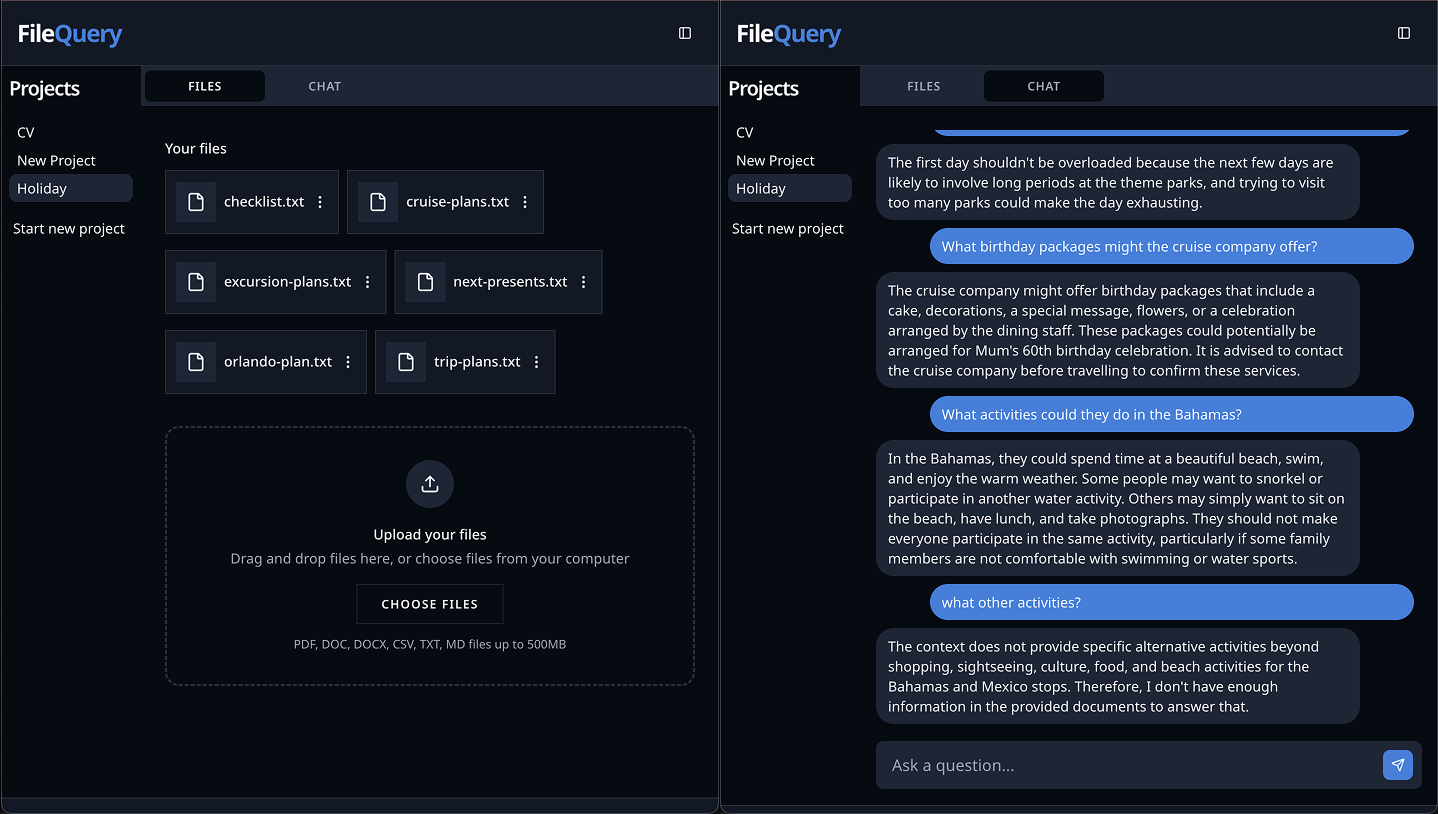
A full-stack document search and Q&A platform that lets users upload documents into project folders and ask questions answered strictly from their files using Retrieval-Augmented Generation (RAG). It extracts text, breaks documents into smart sections, uses hybrid keyword and semantic search, and produces accurate AI answers with source citations.
Core Problem Solved
General AI models like ChatGPT often make up answers or cannot read private business files. FileQuery solves this by letting users upload private documents, indexing them with vector search, and forcing the AI to answer solely based on the uploaded content.
Why I Built This
Engineered to demonstrate a real-world, cloud-native RAG pipeline that handles asynchronous file ingestion, vector search in PostgreSQL, and dependable AI answer generation.
Features
- •Project Knowledge Bases: Group documents into distinct project workspaces so queries only search the relevant files.
- •Multi-Format Ingestion: Upload and extract content from PDF, DOC, DOCX, CSV, Markdown, and TXT files.
- •Smart Document Chunking: Uses LangChain to split text naturally while keeping headings and tables intact.
- •Hybrid Semantic & Keyword Search: Combines keyword search with pgvector embeddings to find the most relevant document sections.
- •Query Rewriting: Automatically turns follow-up questions (such as 'What about the second option?') into clear search queries.
- •Grounded AI Answers: Powered by Amazon Nova Micro, trained to only answer using retrieved text and avoid hallucinations.
- •Background File Processing: Uploaded files are processed asynchronously using AWS SQS and Lambda so the web app never freezes.
- •Source Citations: Each answer highlights the exact document snippets used, allowing users to verify facts quickly.
Architecture
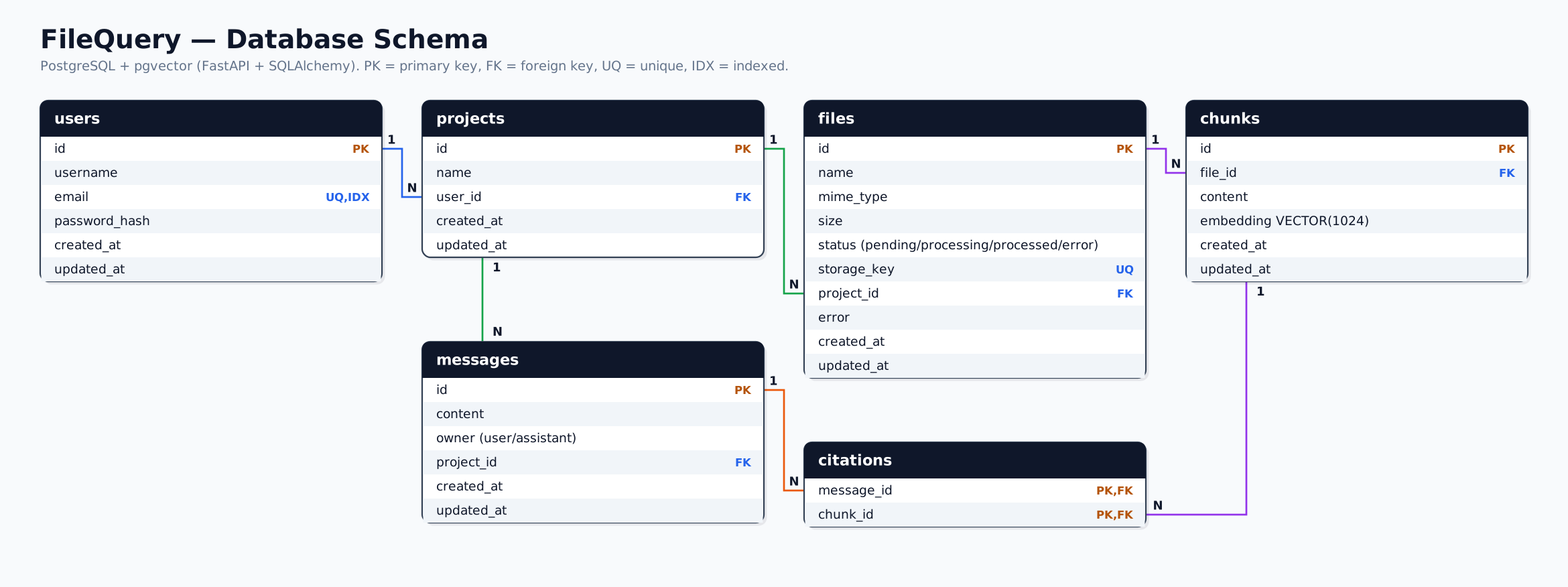
Database Modelling
Challenges
- •Finding the Optimal Chunking Strategy: Splitting text into pieces that are too small loses context, while chunks that are too large dilute search accuracy. Evaluated different chunk sizes and overlaps using LangChain's recursive markdown splitter to preserve document headers and table structures.
- •Tuning RAG Retrieval Quality: Basic vector search sometimes missed specific terms or returned weak matches. Improved accuracy by adding conversational query rewriting, hybrid search (combining exact keyword matching with vector similarity), and similarity score filtering across diverse test question sets.
Tradeoffs and Decisions
Impact
Successfully delivers fast, accurate document Q&A across multi-page technical manuals and reports with zero hallucinations. I regularly uses it as a personal tool to search complex developer documentation.